We use cookies to enhance your browsing experience. By clicking "Accept", you consent to our use of cookies. Read More.

[00:00:00]
Alright, uh, so let’s get started. So, hi everybody. I’m Mahashree, Product Marketing Specialist here at Unstract, and I will be moderating this session for today. Thank you so much for joining us. Now, before we get started, here are a few housekeeping items that I wanted to quickly run over. So firstly, this webinar will be in this only mode and all attendees will automatically be on mute in case you have any questions.
Do drop them in the Q&A tab at any time during the session, and we’ll be able to get back to you with the answers via
[00:00:30]
text. You can also use the chat tab to interact with fellow attendees, and in case you’re facing any technical glitches during this session, you can let us know over there. And as a final point when this session ends, you’d be redirected to a feedback form and I request you to leave a review over there so that we can continue to improve our webinar experience going forward.
So that said, uh, let’s dive into today’s main topic. Building the Future Agent Tech Document Automation in 2026. So this will be our final webinar of the year,
[00:01:00]
and we wanted to wrap up with two key focus areas. So, uh, number one, a quick recap of all the updates and features rolled out over the past year.
And number two, what lies ahead for document automation in 2026 and, uh, what Unstract has in store as well. Definitely the future is looking agentic. So to take us through this, we are joined today by Schwab Co-founder and CEO of Unstract, Shuveb has been closely tracking how document processing is evolving and also
[00:01:30]
steering the wheel for how Unstract adopts to meet emerging customer needs.
Previously, Shuveb was VP engineering of platforms engineering at Freshworks, a NASDAQ listed global SaaS player in his career spanning more than two decades, he has co-founded multiple internet startups and has also had the opportunity of working in startups that deal with petabytes of data and billions of requests every year.
So welcome Shuveb. Thank you so much for joining us. Thank you, Mahashree. And thank you for the introduction.
[00:02:00]
Alright, so, uh, that said, I, uh, I’m sure that many of you joining us today might be new to Unstract. So, um, for your benefit, here’s a quick detour I’d like to take and let you know all about what unstr is and how it works.
So Unstract is an LLM-powered unstructured data ETL platform. If I had to quickly tell you about how this works, I can, uh, categorize the various, uh, capabilities of the platform in three major buckets. That is the text extraction, uh, phase, the development phase,
[00:02:30]
and the deployment phase. So once you upload your business documents into the platform, the first step is to extract the raw text and pre-process it into an LLM ready format.
And that is what the text extraction phase deals with. So we have an in-house text extractor tool called LLMWhisperer, which is also a standalone application, which, uh, generates LLM-ready outputs. And once this is done, uh, the, the, uh, we’d move on to the next phase that is the development phase. Where we’d be
[00:03:00]
using a prompt engineering environment called Prompt Studio.
And over here you basically send the raw text and you, uh, specify two de uh, two key details. That is in, uh, with your prompts you can specify what data you’re looking to extract from your documents. And two, what is the scheme of extraction that you’re looking for. So you can test multiple documents in the prompt studio with, uh, uh, with various prompts.
And we also have other capabilities that ensure accuracy within the prompt studio, like LLM challenge and also cost saving features.
[00:03:30]
So we will take a look at this in more detail. I’ll, uh, be quickly taking you through these, um, within the product as well. Finally, once you have entered all your proms and you’re happy with how the data is being extracted from your documents, you can deploy it using any of the natively available options within the platform.
So we have API deployment ETL Pipelines, task Pipelines, and also Human-In-The-Loop deployments. And for more advanced use cases, we also support n8n uh deployments where Unstract and LLMWhisperer
[00:04:00]
are available as community nodes. And you can use our MCP servers for both the platforms, Unstract and LLMWhisperer as well.
So, uh, that sums up the capabilities of the platform and how the general pipeline looks. And to throw some numbers out there, currently we have 6K plus stars on GitHub. We have a 1000 plus member Slack community, and we are currently processing over 9 million pages per month by paid users alone. So that said, uh,
[00:04:30]
here are the different ways in which you can deploy the platform.
So Unstract comes in three major editions. Firstly, we have an open source edition where, um, you have limited features and you can try it out on your own. And we also have a cloud as well as an on-prem offering when it comes to LLMWhisperer. LLMWhisperer is available as a playground where you can upload any of your documents and access the end-to-end capabilities of the platform, uh, of the platform for free.
And, uh, you have a limit of a hundred pages that you can upload on a
[00:05:00]
daily basis. And again, LLMWhisperer is available as, uh, a Python client as well as a Java script client as well. And both the platforms are compliant with all the major regulations like ISO, GDPR, SOC 2, and HIPAA. So that said, uh, let me quickly take you through the platform, how it looks and, uh, you’d get a rough idea of it before I hand over this session to shave.
So hope you can see my screen. Uh, what I, what I have over here is the Unstract interface and,
[00:05:30]
uh, if you are, uh, logging in for the first time, what you would have to do is set up your connectors or certain prerequisites that you will require, uh, for you to process your documents. So you have the connectors over here that are basically your elements, vector DBs, embedding models, and text extractors.
So we connect with all the popular LLMs out there and you can integrate with them. And, um, again, you’ll have to choose from multiple Vector dbs to integrate with. We have embedding models and over here, uh, we also have different text
[00:06:00]
extractors. And this is where you would find LLMWhisperer as well if you’re using it within Unstract.
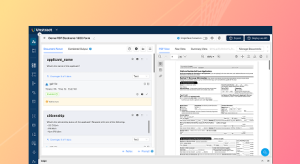
So once you connect with these, um, once you integrate with these connectors, you’re good to go and you’re, uh, we can start creating, um, your document projects in Prompt Studio. So, as I mentioned, Prompt Studio is the prompt engineering environment where you’d be uploading your documents and uh, also, um, giving prompts to the, uh, system for you to extract data.
So, uh, currently I’m taking you through a
[00:06:30]
sample project for, uh, for the want of time. So over here we have a credit card parser, where, uh, we’re basically uploading multiple credit card statements. You can see we have three, uh, credit card statements over here, and we are, um, we are mentioning generic prompts, uh, which basically extract different credit card, uh, I mean statement details like the customer name.
And we’ve given the detailed prompt description over here, which as I mentioned earlier, specifies what data we are looking to extract, as well as the schema for
[00:07:00]
extraction. So you can give detailed schema as well. As you can see over here, we have a pretty detailed schema for the customer address, and we also have multiple, uh, output data types that you can choose from for you to extract the data in so you can deploy one or more elements to work on this particular project.
We, uh, you can see that we have two different elements working over here, and once I basically specify all the prompts, I can, uh, run this. Uh, I mean, once I look at the output, the next stage would be to deploy this project in any of the
[00:07:30]
four natively available deployment options that I have. So the first step, as I mentioned earlier when I upload the document, is that the text extractor, or in this case LLMWhisperer, works on this particular, uh, original document and it extracts the text, uh, in which is layout preserved.
So, uh, this is the best way in which LMS work with your document information. So they, uh, they process information very much like a human words. The best way in which you can feed,
[00:08:00]
um, the document to an LLM would be to extract the text and also preserve the layout. And this is what, um. Is one of the most powerful capabilities of LLMWhisperer because we, it is able to do this perfectly well.
If you notice even details, as small as the logo you see over here is preserved and extracted with the layout of, uh, over, uh, which is, uh, extracted in the same way. So this is basically what LLMWhisperer does. And, um, you would see once I finish the, uh, this demo, this is also available as a standalone
[00:08:30]
application in, in case your need, uh, just limits to extracting the text in a layered, preserved format.
So once this is done, you specify the prompts and you get the outputs, and you also have multiple capabilities within the Prompt Studio. So these are certain, um, uh, other settings that you can define. So because you can integrate with multiple LLMs, embedding models, vector dbs, and text extractors in the LLM profile, you basically specify what is the combination that you’re going to use for this particular project.
And we have other capabilities, cost
[00:09:00]
saving capabilities like summarized extraction accuracy, enabling capabilities, um, uh, which is the LLM challenge. So this is, uh, this basically has LLM-as-a-judge implementation. So you specify another LLM to work, uh, parallelly with the extracted LLM that you have specified in LLM profile.
And only if both these models arrive at a consensus on the output is it given to the user. So this is how you can ensure that your LLM isn’t hallucinating and you are working with correct outputs. And again, I
[00:09:30]
mean we’ve uh, done other webinars where we have gone in detail on each of these features and we have extensive documentation available as well.
So for the want of time in this particular webinar, I would be quickly skimming through these, uh, settings and uh, handing over the session to. So, uh, grammar preamble, post amble, and there’s also highlighting support that we have within the Prompt Studio. So if I click on any of these, uh, any of this output data, the system automatically highlights the various, uh, places from the original document from
[00:10:00]
which this particular output was fetched.
So once you’re happy with the Prompt Studio project, you can export it either directly as an API over here, or you can export it as a tool and, uh, then you can, um, deploy it in, uh, any of the natively available options. So we have API deployments over here with a Downloadable Postman collection as well.
And you can also deploy your project as an ETL pipeline. Task and also as a task pipeline. And, uh, before, I mean when you
[00:10:30]
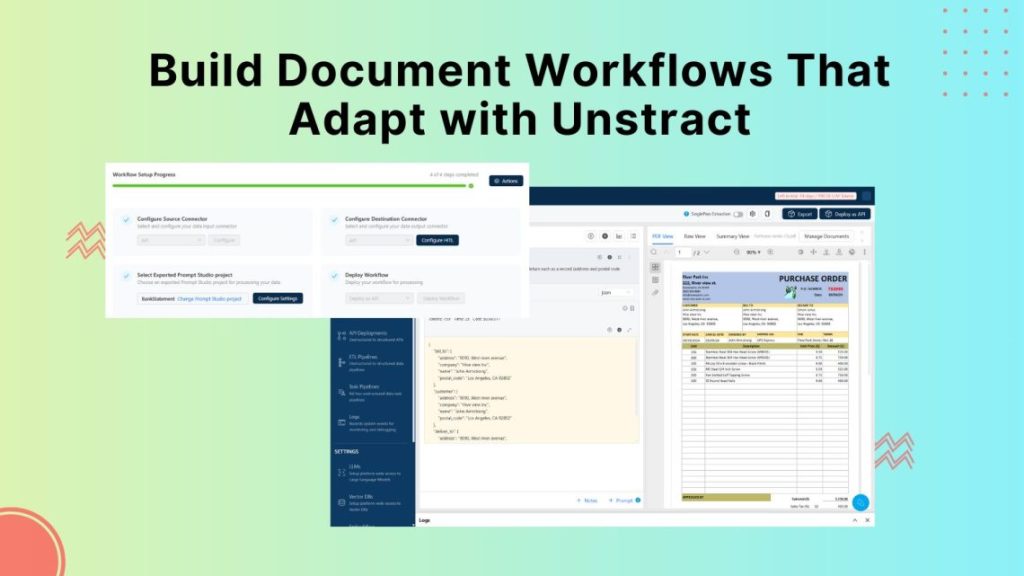
deploy it as an ETL pipeline or a task pipeline, you can also set up human in the loop settings. So for instance, if I open one of the workflows that I have over here, this is an ETL pipeline that I’ve set up.
So, uh, I’m basically fetching my document from a file system. I’m processing it using the credit card passer tool, which was the project that we just looked at. And I will be sending the output data to a database. So before I send it to the database, I can choose to configure the human in the loop settings.
So we have various settings under this, like the
[00:11:00]
percentage of your, uh, documents that you would like to send for human in the loop, and what are the conditions for these documents to be routed, uh, for a manual review. So, uh, you can check the documentation of, uh, for how human in the loop works. And I just wanted to quickly give you a preview.
So I think that wraps up, uh, very briefly how unstrapped works. And I was also talking about LLMWhisperer, which is available as a standalone application. So this is the LLMWhisperer playground that you’re seeing over here. So you can
[00:11:30]
upload any document of your own and get your, uh, text extracted with the layout preserved.
Or you can explore the pre-uploaded documents over here. So we have multiple documents like, uh, for instance, we have a scanned, um, receipt over here and you can see that it’s a pretty bad scan and it also has some oil stains. So let’s just give it a couple of seconds.
And you have the text extracted. So this format is what is going to enable your
[00:12:00]
elements to extract data precisely and give you the output that you’re looking for. So, uh, you can go through the other, um, documents I have. Uh, I mean, we’ve pre uploaded over here, so, uh, now just to save time, uh, I’d be handing over the session to shuveb.
Let me go back to the presentation. Thank you.
I want to start with, uh, a really quick,
[00:12:30]
uh, recap of, uh, what we achieved in 2025 in terms of, uh, uh, product highlights. I wanna start with the fact that many of these were your asks. Uh, you know, we got much of these asks from our users, from our customers, and our roadmap pretty much in 2025 was, uh, uh, driven by, uh, a lot of customer asks, really, right?
Uh, starting with, uh, you know, uh, accuracy, uh, is that, is that we added for longer documents, you require multiple retrieval
[00:13:00]
strategies. Um, of course, uh, when you, when you do something like extraction, you want to send as much as the, as the context of the input document as possible. But sometimes you do ha you do deal with, uh, very long documents.
Documents that can be. Quite literally hundreds of pages or even thousands of pages long. So we added a lot of material strategies. Uh, we also added support for, uh, uh, reasoning models, uh, right, so that you, you can, you can, you could use them, uh, uh, for complex document use cases. Of course, we,
[00:13:30]
we continue to add support for, uh, newer models as they become available as soon as we can.
In fact, uh, this year in 2025, we also moved to a underlying framework, which allows us to add support for newer models, uh, really, really quickly. One of the common asks, especially for, uh, customers in healthcare and life sciences, was that their PDFs contained, uh, uh, tables, which had columns with vertical text.
Uh, that is something, uh, that we could not handle, uh, in 2024. But in 25,
[00:14:00]
we, we handled that, uh, so, uh, very complex PDFs can now be taken care of. We also, uh, created a completely new category of products, uh, we call API. Where you have common APIs available for, uh, some document types. So the general idea is that you can go to API hub.
You don’t have to do any prompt engineering. And the most common utilities and, uh, most common document types are available there for extraction. For instance, we have a all table extractor. Uh, but then,
[00:14:30]
uh, we also have something like a bank statement extractor or like a invoice extractor and stuff like that, right?
So we have some common utilities. We do also have a PDF splitter, like a packet splitter. Sometimes in many industries, people get PDFs that have, that are a concatenation of many different documents. So this is a vision model based, uh, API that can split all of those documents and provide you, provide, uh, provide them, uh, to you as, uh, just a zip file with separate, uh, file, separate files, file separated out very cleanly, right?
So
[00:15:00]
these utility functions and uh, specific documents are now available in the API hub. Like I mentioned, you have to do absolutely no prompt engineering is already made APIs to go. Right. Um, then when it comes to automation, uh, you know, we do have a post-processing web hook available. This, uh, this was a very common ask as well.
So where, uh, you can apply any business logic or post-processing logic in the web hook. Uh, so this is data that is passed after the document is processed to you. So you process the data where you
[00:15:30]
want to send it back, and then we will provide that to as an output in the ETL pipeline or in, or in the API.
Right. And then, um, now you can also dynamically pass data, uh, which will be considered by the large language model as the document gets processed by sending a custom data parameter, uh, right. And it becomes part of the prompt. Uh, right. So this is also another advanced usage. We have continued, uh, we, we continue to, uh, add more documentation around advanced use cases.
Uh, but we, documentation is
[00:16:00]
always catching up. So this is something that we are still working on, but, uh, you know, soon, you should be able to expect, uh, soon you should, you should expect a advanced usage, kind of a documentation article that will show how some of these features actually work, right? Um, LLMWhisperer has been in tremendous demand, so we, uh, enhance the autoscaling for it.
So, uh, you know, we, we process quite literally millions of pages, uh, uh, for on alum per a day. So that is something that we, we, we’ve been constantly working on. Uh,
[00:16:30]
for AWS bedrock, we enable cross region and cross region inference. Uh, we now also support something called packet processing. Sometimes what happens in human in the loop is that, uh, you don’t pack it, you don’t, you don’t process just one document.
You process a packet of documents. So think of it like a loan packet where there’s KYC documents, you know, bank, uh, you know, statements, possibly other documents. So when a human looks at it, rather than looking at it as disparate, separate
[00:17:00]
documents. They now look at it as a packet. They know exactly what, how many documents a packet con contains.
Uh, if required, they can cross reference these documents as they’re reviewing them in human in the loop. So it add it, it, uh, enables some very advanced use cases. So packet processing in HITL is, uh, something that got released, uh, this year as well, right? Um, uh, yeah, next slide. Uh, uh, yeah. So, uh, now, uh, of course sharing, uh, you can, you don’t have to, uh, enable it
[00:17:30]
one by one for, uh, for members in your organization.
You can simply say that a particular project is shared at the organization level and whoever joins your organization new, they automatically get access to that, uh, those shares. We worked a lot on, on the sharing and making sure that, you know, sharing is very easy and it’s available for more and more objects in the system.
Right? Um, you can also now import and export prompt to your projects. Uh, right. So especially if you’re working in different environments. Let’s say you, uh, you had a cloud
[00:18:00]
deployment, and then, uh, you, you’re moving on to an on-prem installation. You want to move your project. So you can quite literally just export a prompt studio project and then import it in any new environment.
It just works like magic, right? Um, uh, a human envelope is something we did a lot of work on. So, uh, you can now look for highlighting of multiple instances. Let’s say a customer name is present in many different locations in the document. You can not only match the first instance, but you can match all the instances, right?
So
[00:18:30]
we, we, we, we do, we do support that. Now, uh, we also extended highlighting to, uh, text and images as well. So as you click on any field, we highlight it in the document, making it very easy for review, right? And then, um, we also make it very easy for, to review complex JSON outputs, right? We made it like super friendly to review those so that we render the JSON in a friendly manner.
So you don’t have to like, uh, read like complex JS outputs. We, we just make it very
[00:19:00]
easy to do that, right? And, uh, uh, we now have MCP servers available for LLMWhisperer. So if you are building any agent use cases, it becomes very easy for you, uh, to basically just call the MCP servers of Unstract and, uh, and, and then carry on.
Similarly, we have innate and integrations, uh, available this year. Uh, we made the, the connector centralized earlier. You had to create a connector on a per workflow basis. Now central, uh, now there are centralized connectors available. So if
[00:19:30]
you want to define file system connectors or database connectors, you simply go and define a central connector and reuse them in as many workflows as you want.
Um, uh, but now in the LLM per playground, we ex, we expanded the kind of files that we support, right? This, uh, people love this feature, they want to quickly check how well something is working. LLM per is a, is a great playground, is a, is is a great way to do that. And, uh, there’s a lot of ux ui, uh, development that we,
[00:20:00]
that we also did.
Um, uh, right. So it’s very easy for you now just to, as you’re working on a Prompt Studio project, you can single click and just deploy a prompt studio project as an API, uh, without having to first create a workflow. We also dramatically simplified how workflows actually look and, and work. Right? And, uh, we made a lot of platform error handling and stability changes as well, so that, uh, you know, all for good.
Right? And, uh, we also, again, uh, same thing with the API hub as well. A lot of different changes
[00:20:30]
there just to make things easy for you to understand and, and work with, right? And, uh, uh, one of the things we take super seriously is the, uh, uh, the fact that, you know, we don’t store any documents anywhere in, in, uh, in abstract, of course, except when you’re using a human in the loop, where, of course we need to store the document because we need to show you a side by side view of the document and the extracted data.
Um, so even there, we now create, we have a time to live, uh, feature where you can say, if a document
[00:21:00]
does not get picked up for review, I just want to want you to delete it in seven days, for instance. You know, we do that for you. Right? So, yeah, these are some of the features that we worked with, uh, worked on in 2025.
And, uh, like I mentioned, many of these features were actually very strong customer asks, right? And these are some of the more important features. So now that was 2025, and 2025 has been an exciting year. Um, the volume of, uh, data we process has increased the number of customers, the number of,
[00:21:30]
uh, large enterprise logos that we work with has increased, but we are actually super excited about, uh, you know, what we are, uh, what we plan to release in 2026.
And, uh, you know, I’m, I’m here today to actually also give you a sneak, uh, review of, uh, what you can expect, right? Uh, one of the, uh, you know, uh. Friction points or difficulties that customers face when onboarding any new document type in abstract is actually the, the prompt engineering part, right?
[00:22:00]
So they have to define a schema, they have to do the prompt engineering themselves for every field or, you know, for all the fields together, however they choose to do it.
And that’s, uh, that is something that now we can take care with, uh, some multi-agent systems that we have built right into Unstract. Right. Next slide. Thank you. Yeah. So, uh, what I, what I wanna talk to you about today is, uh, Unstract’s Agentic Prompt Studio, and I’ll, I’ll also show you a sneak peek, uh, of how it might look like.
Uh, right. Uh,
[00:22:30]
so there are three pillars of, uh, the agent prompt studio. Pillar number one is that you don’t have to do the prompt engineering, or you don’t have to do. The, uh, you know, the, the schema definition yourself, right? So in essence, uh, these things just are created by, uh, you know, uh, multi-agent systems that we have built into abstract.
So you simply follow the workflow you, you follow with Prompt Studio today. It’s a very, uh, familiar interface
[00:23:00]
that way. But the thing is that when you provide abstract multiple variants of the same document type, let’s say you provide like three or four different variants of a credit card statement, then the agent system essentially, uh, you know, reads all of the variants and figures out what the common structure is, what the common important data elements are, and then number one, it creates a schema.
And number two, it also creates a, uh, you know, uh, extraction prompt. And the
[00:23:30]
most powerful thing is that. You are actually free to edit the extraction schema and the prompt. Absolutely no problem there. It just, uh, you know, uh, provides you a, a phenomenal starting point. You absolutely don’t have to waste time, uh, writing the prompt manually or, or even defining the schema manually.
Right? The second important pillar is prompt versioning, uh, in combination with the third pillar, which is, uh, verification set. This can be super powerful. Uh, so prompt versioning is, of course, it sounds like a very
[00:24:00]
simple requirement, but it’s super important because you could have something in production and there could be a new model that that could have come out.
And you want to see whether, how, whether, I mean your, your, your, your project is working well with that model, and you might tweak some prompts and then you might then figure out that it’s working well or not working well or whatever. Um, right, so you don’t want to disturb something in production, so you, you absolutely need, uh, prompt versioning.
But it, this becomes very powerful when you combine that with verification sets. Right? Now, verification sets
[00:24:30]
are basically extracted bits of verified information. So let’s say you have, uh, you know, particular prompts to your project, three different, uh, credit card statements. You extracted, uh, you know, values from, uh, you extracted the data from, uh, those statements and you manually verified them.
You corrected the values, which were wrong, and you verified by looking at the document and you made sure that it is indeed correct and you, you know, in a, in a, in a way, you certify that those are correct values, right? That becomes
[00:25:00]
a verification set. Now what you can do is that whenever you change any prompt, you can rerun the extraction and test it against the verification set, and the system will actually tell you how accurate your new prompts are.
Uh, are the changes worse? Or are the changes for the better or are the changes that’s the same, they did not disturb anything else, right? So, uh, these are the three pillars of, uh, Unstract’s Agentic Prompt Studio. I’ll actually show you a preview of how it might look. Of
[00:25:30]
course, you have to keep in mind that this is a pre-release version.
I’ll be showing it to you, uh, from a, uh, integration environment, not, not production environment. It’s not it in production. Uh, we believe that this can get into production, uh, next month, uh, in January, right? Uh, but nevertheless, I’m, I’m going to show you. Uh, right, so, so this is, uh, you, you will have a new tap called Agent Prompt Studio.
The old Prompt Studio will continue to live, uh, but you will now have, you know, a, a separate
[00:26:00]
Agentic Prompt Studio, uh, uh, menu from where you can actually create a new project. So, let me share, let me show you how this works. So let’s say you want to do a US credit card.
Extractor, let’s call this V2, not to confuse it to the what was already there.
I’m going to create this project.
[00:26:30]
Let me open this. And the first order of things is that we will go to settings and set up, uh, the extract, a large language model, the model used for the, uh, agents that we have, uh, in the agent, uh, prompt studio. I’ll have a connector for LLMWhisperer as well. And also I’ll choose a lightweight LLM.
I’ll just save this. Then I’ll go to manage documents and I’ll choose a couple of documents that I can use. Let’s say we want to have these,
[00:27:00]
uh, three credit card statements, right? And, uh, those are uploaded Now, as you can see here. You can see that there’s three different variants right now. What I want to do is, uh, I want to go to status and I want to first extract the raw text from these documents.
Um, now what happens is that essentially we are running, uh, LLMWhisperer in the background,
[00:27:30]
and this can start the raw text extraction. It won’t take a long time because these documents are relatively short. So now we have the raw text available for some of these documents, right? You can in fact view the raw text right from here, or you can actually view the raw text from here as well.
So the raw text is okay. Now. Now what we do is that, uh, you know, we will generate a summary. So this starts a multi-agent process where it’s essentially creating, uh, relatively short
[00:28:00]
summaries, uh, of these documents. Now, when we generate the schema, what happens is that. The, this, again, is a, another multi-agent system, which essentially looks at the document summaries generated by a large language model.
And then finally, it combines everything because, uh, these, as you saw that I, I ran the summarization of these documents, uh, uh, individually. And so each time a large language model runs,
[00:28:30]
it could have actually created completely different names for the fields. For example, in one document, the name of the customer, uh, field could, a customer name field could have been customer underscore name, you know, another document.
It could have been just custom underscore name could be anything, right? So, uh, this, this, but this in when we generate the schema, it, it’s taken care of right now, we can also create the, uh, the prompt automatically so we don’t have to really write the prompts ourselves. So I’ll show you the, uh, the
[00:29:00]
schema and the prompts in just a bit, right?
Um, so as you can see, uh, you know. We don’t just consider one aspect or we don’t run a single agent to do this, it, it wouldn’t work really well. So this multi-agent system is basically composed of many different agents. One agent summarizes, another agent extracts the fields, another agent makes the field names uniform.
Another agent acts as a critic.
[00:29:30]
Another agents then take that, uh, criticism and then loops it back into the whole loop. So there’s a lot of things going on here right now. I’ll create the verification data, like a provisional data, but I wanna show you the, I mean, the schema that got created, right? So this is the schema that the, uh, the system has created.
So if you can look at it, this, this is basically, there’s a standard for adjacent schema. Uh, and it’s using that standard. So you can see that, uh, there’s a property key and then there’s account
[00:30:00]
activity. There’s a description, there’s item within that, there’s a type. Then there’s also some example. So this is super useful for.
Large language models. So we have a pretty decent schema, right? Uh, including, uh, you know, the line items and all of that, right? So we have, we have that right? And then we have the extraction prompt. So if you look at the prompt, uh, you can see that there’s the example output schema, uh, right. And there there’s also like a per field guidance that it’s automatically written.
So you, as you can imagine, there’s
[00:30:30]
quite a lot of, uh, time that is saved, right? And because this, uh, schema and because this extraction prompt is generated, is generated after analyzing all of the variations in the sample documents you provide, uh, you know, the, uh, the schema and the extraction prompts are pretty high quality, uh, right.
And you can, you can imagine how much time got saved. It hardly took us five minutes to, uh, generate all of this right. Now. The other, the other important thing
[00:31:00]
is that, uh, you know, we have a starting point for the verification data. So I told you that, uh, I told you about three different pillars of agent take prompt studio.
One pillar, of course, is the creation of the schema and the extraction prompt, uh, which is definitely a lot of value. Uh, but then again, right, I mean if you look at this, the second, uh, the third pillar I, I spoke about is the, uh, prompt versioning. You can edit the prompts and we maintain full history. Uh, right?
And then you can even compare different versions and restore any version you
[00:31:30]
want and, and all of that, right? So the, the prompts themselves are already, uh, you know, uh, completely versioned right now. We also have verification data, the starting point, right? So what the system has done here is that it’s basically created a starting point for me, right?
For the verification data. But now it’s my job to basically make sure that all the information in here is 100% correct. Right? Now this becomes the golden set. So what you
[00:32:00]
do is that you, you go through the whole. Set of documents in your project, you manually verify all of this data, uh, make sure that is indeed, uh, correct, and then you save it right now.
Uh, we can also do the data extraction. I haven’t done the extraction. Uh, right. So we have the, uh, so I hope you get a hang of this. So what you do is that I’ll, I’ll, I’ll, I’ll basically summarize the steps we did so far. We created a new project. We uploaded a set of
[00:32:30]
variance, then we generated, uh, you know, the raw text and the summary.
Of course, we go, we probably remove these, uh, in the final version. You actually don’t need this. Uh, it’s there mainly for debugging. So I want to see what a summary looks like. I can see it now. But this is mainly for consumption by the agents, not for a human. Right. It’s not very useful. So you’ll probably remove both these, uh, columns, right?
And then, uh, we generated a schema, uh, right from the summaries. Uh, a multi-agent system generated schema. Then
[00:33:00]
after the schema is available. We generated the prompts automatically right now that the prompts were available, we were able to create the provisional verified data, right, which we need to verify.
Of course, I’m skipping it due to lack of time. You need to verify that. You need to make sure that the verified data is indeed a hundred percent correct. Then we ran the extraction. Now if you look at it, the, uh, verified data and the extraction data, uh, extracted data might actually look pretty much the same, right?
Uh, because we haven’t made any
[00:33:30]
changes to the verified data, we are assuming everything is okay right now. If you go to status, and if you look at the, uh, if you look at these fields here, you can actually see, uh, compare verified data with the extraction data right here, right? So, uh. This allows you to very quickly look at, Hey, what is the difference?
What is going on? And everything you, you can just look at, you can look at here, right? So let me make some changes to the verified data. That way, you know, we can, we can see how
[00:34:00]
it works. I’m gonna edit the verified data. Let’s say I want to change the format of this, uh, payment date to, uh, ISO format. So I’ll say 20 20, 20, 23, 10, uh, 22.
I’m gonna just change the format from this format to this format, right? And I’m, uh, just going to, uh, save this, right? So I made one change to the verification data. Now, if you, if I go to, uh, status and if I look at, uh, this and then
[00:34:30]
enable hide matches, I should be able to see the payment due date is actually now a mismatch.
So this is the verified format, the new format I provided, and this is the actual extracted data, which are of course different. You know, in the future you should be able to just click on this and get the highlight of where this data was picked up from. So now this makes it super easy for you to figure out, hey, what are the differences, right?
So you can actually, uh, you can look at the difference here. You can also look at
[00:35:00]
the j diff here, so you’ll know fairly easily, hey, you know, what’s going on with the extraction, how well your prompts are working, and all, all that good stuff, right? Um, similarly, we are, uh, the analytics and everything is a little off now, so I don’t wanna, uh, you know, show that to you.
Still, we are still working on all of this, but in the future you should have a very good analytics. You should also have the, uh, matrix of the mismatched fields. You can look at. Uh, you know what, uh, all the greens are basically matching, uh, where the extractor
[00:35:30]
data matches the, uh, the verified data, and you have the reds where.
You know, uh, there’s mismatches between the extracted data and the verified data, right? So this makes it very easy for you to, uh, very quickly get a kind of overview of what’s going on. Uh, similarly, uh, you, you know, uh, I mean, you, I I’m leaving it to your imagination. But then you can do things like, how, how has my matrix changed for the different versions of the prompts I have?
[00:36:00]
Right? As you develop different versions of the prompt, we can tell you if, uh, the matrix has gotten worse or has gotten better, right? So, uh, those kind of things are, uh, super useful. So, as you can see, uh, you know, uh, uh, you, you, you spend very little time on the actual prompt engineering and the, uh, you know, uh, and the schema generation itself.
Of course, you’re very free to edit, uh, either, either either of those, uh, either of those aspects. Uh, but then again, right? I mean, uh, the verified data and
[00:36:30]
the versioning is also, uh, super important and then super useful features, right? That’s all I had for you, uh, today. Uh, thank you for attention back to you.
Uh, thank you so much we for that demo. Uh, it was pretty insightful and, uh, we can’t wait to launch this, uh, offering and have you all try it as well and let us know what you think. So let me, uh, go over one more thing before, uh, we venture into the Q&A.
[00:37:00]
So we do offer a free demo where, uh, you can book a meeting with one of our experts and we’ll be able to sit on a one-on-one discussion with you, understand your needs, and see how Unstract or LLMWhisperer can fit into your business workflows.
So if you’re interested, we have dropped the link in the chat tab and you can, uh, register and book a meeting with us. And that said, uh, let’s get into the q and a in case we have any questions and we can answer them live.
[00:37:30]
I’ll just wait for a minute or two in case you have any questions or we can head over to the end of the session.
Uh, alright, we have one question. Uh, would you like to take that?
[00:38:00]
Um,
what limits does the open source version have against the the cloud one? Uh, so Justin, this is, uh, very well documented in, uh, you know, in the, uh, in the, in the documentation that we have. Uh, in essence what you can do with the open, the open source version is I would say 95% of, uh, you know, un Unstract. So.
Even if you look at the way ract is developed is that we take the open source version, [00:38:30] we add a few, uh, enterprise class features, and then that becomes enterprise class version. So even for the enterprise, uh, the enterprise class, uh, product we have, the open source is the base. There’s only one base for us, right?
Um, so the, the general idea is that if, unless you need any enterprise class feature, uh, you actually don’t need the enterprise version. The open source version can that have, has prom studio, has the connectors, you know, you can do ETL, you can create APIs. All of
[00:39:00]
that stuff is actually free. But when it comes to, uh, you know, the, uh, enterprise class features like SSO support or having, uh, you know, um, LLM challenge where we use two large language models during extraction to, uh, guarantee a very high accuracy and there are some cost saving features, human in the loop.
These are some enterprise class features that are, uh, are not part of the open source offering.
[00:39:30]
I see one question from Ish in the chat. So does the system support language translation on the PDF? You can do it. Um, we do support a lot of different languages, including non-Latin, uh, characters like Japanese or Arabic. We do support, uh, we do support, uh, those languages and yeah, I mean, large language models can do a pretty decent job of, uh, translating the, the PDFs or even, it’s also very common that we see where you have, uh, you know, uh, the, the
[00:40:00]
PDF in uh, uh, one language, but the prompts are still in English and that perfectly works as well.
So that’s not a problem at all. So, uh, uh, Russell is asking if, uh, you know, he wants, I think, uh, a markdown version of the PDF. Um, so, uh, we do not support, uh, that Russell in LLM Whisperer. Converting to markdown, uh, mainly because markdown does not support complex table structures and things like that. And we
[00:40:30]
have found that, you know, our philosophy is really moving the smarts to the large language model side rather than making LLM Whisper are very smart, right?
We see that for real world documents that does not work really well. And, uh, just out of experience. And then what we do today is that we actually, uh, you know, just layout, preserve the, the input document and then we make the LLM do the heavy lifting. And we have seen from practical experience that is actually better compared to any other,
[00:41:00]
uh, you know, converting to Markdown or HTML, where for real world documents, honestly, uh, we have seen that it doesn’t work to the level that it, that we want it to work, right?
But when you do layer preservation, you get, uh, you know, uh, observably better results is, is what we are seeing, right?
Awesome. Uh, we have two other questions in the q and a tab. When is the dark mode? I, I, that’s the, that’s
[00:41:30]
the top requested feature from me, Justin. Trust me. But, uh, I don’t think the team is very interested in, uh, dealing with my, uh, my, my likes and dislikes, but Yeah. Unfortunately. Yeah. But we’ll, we’ll, we’ll see if we can white code it in sometime.
Yeah. Um, Harshel asks, is it working? Does it work for scan periods? Absolutely. Absolutely. So you throw anything, one of the things we’re very super proud of, uh, in abstract is how real world it is, right? So you throw anything at it. In fact, ti even showed like
[00:42:00]
a scanned, uh, a photo of a scanned receipt that el alarm handled really well.
So we handle Excel sheets. I, I, I can easily say that we have the best industry’s best Excel sheet parcel. Including layout preservation and table border recreation in Excel, we do that. We can pass images. Uh, there’s a lot of, uh, you know, uh, lot, lot of, uh, you know, file formats that we support, including common office documents, uh, you know, scan PDFs, forms,
[00:42:30]
uh, forms.
We check boxes and radio buttons, handwritten texts. So yeah, we can, we can deal with all of these documents. Yes, absolutely.
Uh, I think we have one more question in the chat. Yeah. So, uh, uh, Russell, what, LLM Think of it like this. So there are three different layers in Unstract today, right? The lowest level layer is LLMWhisperer, which simply reads the input document and creates the raw text,
[00:43:00]
as it were verbatim in the input document.
Now this text is meant for consumption by the large language model, right? So Unstract is sits on top of LLMWhisperer. It takes the raw text and creates basically structured JSON data for the extractions you need rather than giving you the whole text, which is not easy to programmatically. Whereas if you have the JSON it’s very easy to automate downstream use cases and you can programmatically passe json.
[00:43:30]
So LLMWhisper is a raw text. Unstract is basically taking the raw text and using a large language model to create the json uh, schema based extraction. On top of that is, uh, our API hub where we have ready-made APIs for several documents, but we also have other utilities like, uh, table extractors and a PD of splitting APIs.
These, these are very high level APIs. There’s no need for you to do any prompt engineering or anything. So these are three offerings we have.
[00:44:00]
You can switch between these three offerings after you log into the product, near the logo, there’s a app switcher. You can, uh, you can use the app switcher to switch between these three offerings.
And, uh, they’re all available on, on trial app. Of course, there’s no, uh, you know, uh, trial for API hub, but then again, there’s a playground there as well. Right. I think there’s, uh, one more question, which is, uh, when giving it an Excel, does it extract, uh, the data from the Excel file itself, like the head and
[00:44:30]
names you define in there?
Or will it also be passed to the LLM to extract the layout? Uh, so Justin, when you pass, uh, an Excel sheet to an abstract, uh, uh, prompt Studio project or an api, API that you’re launched, uh, the, again, the two phases are still there. So, uh, when you, uh, LLMWhisperer essentially creates the raw text from the Excel.
So what do you see in the Excel? You’ll see in the LLMWhisperer output then? Uh,
[00:45:00]
Unstract uses that output to create the J data. So it’s, in that sense, it’s not very different from processing A PDF, it’s exactly the same. It’s just that the, the input format is, uh, the input file format is different. Uh, one, uh, somewhere it’s pdf d somewhere it’s a Word document somewhere.
It is Excel. But the, the fundamental concept of this, this whole layered approach that I just, uh, spoke to you about that doesn’t really change.
[00:45:30]
Yeah. I think, uh, a posted a link to the, uh, a blog which talks about Excel extraction. That’s a really good blog article, in my opinion. It’s a very detailed one. In fact.
And when using NATO text it, oh.
So, uh, the Natto
[00:46:00]
text is just a mode in LLMWhisperer, Justin, uh, where you can use many. There are, LLM Whisperer has many different modes. Uh, so of course if you use Natto text in a scanned PDF, that’s not going to work. But if you use, for instance, if you use that on a Excel sheet, or if you use that on a, you know, natto text, PDF, that’s going to give you a very high quality output, and it’s also a lot cheaper.
Uh, right, because there is no OCR internally involved, right? So, and also less mistakes are made
[00:46:30]
because, you know, we read the text directly from the document. For instance, there is no, we can’t, uh, really, um, you know, misinterpret OO for a zero or a L for a one, uh, in OCR that can happen quite a bit. But, uh, when you read NATO text, you know, um, that, that, that will, that can never happen, right?
So that there’s advantage of using the native text mode, but then you have to know which mode to use. That’s, that’s the challenge really. Right? Yeah.
[00:47:00]
Russell asks, so I have created files which define every column in the table, which I need to pass, and they provide explanations. Is there a point where I can upload this to help you product do its work? Yeah, sure. I mean, so Russell asks about, uh, you know, what understanding, you know, he has about, uh, a certain document.
Yeah. I mean, you can make that as part of the prompt engineering. You give as much context as possible. You can
[00:47:30]
give as many, uh, examples as possible that only makes your extraction better and better. So in fact, uh, if you look at the professional prompt engineering, we do for many projects, whatever we showed you today, these are baby, baby prompts.
They’re not really complex. They’re simple prompts for, uh, you know, demo purposes. Any, uh, you know, uh, production quality prompt is usually at least few hundred lines, right? And then, and it has a lot of, it packs a lot of examples, uh, packs a lot of, uh, you know,
[00:48:00]
disambiguation statements, things like that.
So the more context you can give in the prompts, actually the performance usually gets better to a certain point. Yeah.
Awesome.
Which is great. All right. Uh, thank you everybody. And, uh, just a minute, I think we have one last question. Yeah. PDFs, uh, the length can be
[00:48:30]
up to, I, I believe the maximum is, uh, 1,200 pages.
The file size, I believe. Uh. If I’m not wrong, uh, a couple of hundred mb but it is documented, it’s there somewhere in the documentation as for the maximum, all the, the maximum sizes are there in the documentation, the file size, the page limit, and all of those things are
[00:49:00]
documented as well.
Awesome.
Thank you for being such an engaged audience. It’s been great. Okay. Thank you everybody. Uh, we’ll be sending over the recording of this session, uh, shortly. Um, hope you had a good session. Have a nice day. Bye bye. Thanks you. Thank you.
We use cookies to enhance your browsing experience. By clicking "Accept", you consent to our use of cookies. Read More.
See Unstract in action with walkthroughs of core features and real extraction workflows.
Managed cloud, on-premise, or open-source. Unstract adapts to your infrastructure needs, so choose what works best for you.

Prompt engineering Interface for Document Extraction

Make LLM-extracted data accurate and reliable

Use MCP to integrate Unstract with your existing stack

Control and trust, backed by human verification

Make LLM-extracted data accurate and reliable